
Build and Kill Zombies Guides
From the lobby pad to a kart that survives the next boss window.
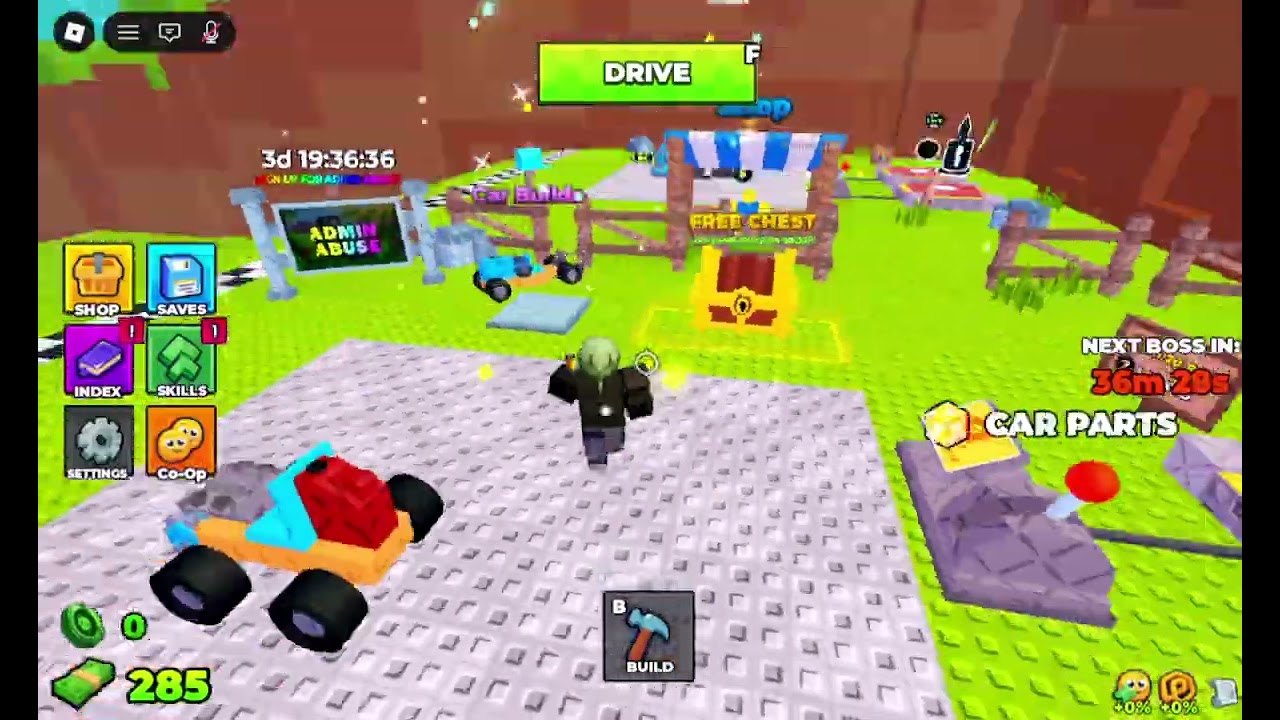
Build and Kill Zombies looks simple from the thumbnail: a blue kart, a purple spike roller, green zombies in red shirts. The live HUD is busier. You have DRIVE on F, BUILD on B, a six-icon left stack (Shop, Saves, Index, Skills, Settings, Co-Op), a NEXT BOSS IN clock, a FREE CHEST, Car Parts, Supports, and two currencies. This hub is the map of every how-to on the wiki so you stop guessing which button prints cash.
Start with getting started if this is your first session. Then how to build a car so the starter blocks survive the checkered line. How to farm cash covers short Distance loops. Controls is the key list. How to beat the boss is what you open when the red timer is under ten minutes.
What a session actually is
You spawn on a studded lobby pad. The starter kart is a four-wheel block buggy with a red brick, a cyan seat, and no plow. Press B, snap parts, press F, and the camera drops into Drive. The HUD swaps to Distance, a studs/s speed reading, part HP percents, and a speedometer. Zombies stand on the grass past the checkered strip. Ramming them pays cash. Going farther pays more. Dying or snapping the chassis dumps you back to the pad with whatever cash already hit the counter.
That loop is the whole game until a boss window or an Admin Abuse event. Everything else — Skills, rolls, codes, co-op — exists to make the next Drive last longer.
Order to read
- Getting started — HUD, Free Chest, first Drive.
- Controls — F, B, and the left stack.
- How to build a car — plow first, wheels second, paint never.
- How to farm cash — short loops versus boss camping.
- How to beat the boss — King 1x1x1x1 and timed events.
- Co-op — five-player pads, lanes, and what is not shared.
Then branch into the weapons tier, builds, and skills. Claim codes whenever a shout drops so the guides have a wallet to work with.
Co-op notes for every guide
Servers cap at five. The Co-Op button is on the left stack. Guides on this wiki assume online co-op is available even if you choose to Drive solo on an empty pad. Do not write a guide-in-your-head that says the game is single-player only — the HUD contradicts that.
Events bleed into guides
Admin Abuse billboards with multi-day timers appear in the lobby. Hacker Event 2026 shipped badges including Welcome, event attendance, and You defeated the King 1x1x1x1. When those windows are live, skip cosmetic farming and read the updates hub. A perfect plow still dies if you Drive into an event boss with a 92% cracked brick and no turbo.
Use the build planner as a checklist after any guide. Use scripts only if you already understand the manual loop; auto-farm GUIs skip the muscle memory these pages are for.
Frequently Asked Questions
Quick answers for lobby, Drive, codes, and boss timers.
Which guide should a brand-new player open?
Start with getting started, then how to build a car. Claim codes in between.
Are these guides for the older Build a Car to Kill Zombies?
No. This wiki is only for place 105011592530400, the August 2026 Zombie Car Crusher release.
Do I need Robux to follow the guides?
No. Codes, the group chest, and Drive cash are enough for a working plow. Robux packs only skip time.